A customer arrives for a meeting. A technician needs to service equipment. A delivery driver is waiting at reception. Each person needs a clear welcome, and your team needs to know what happens next.
Visitor management is the process an organisation uses to welcome, register, guide and record people visiting its premises. It covers the whole visit, from preparing for an arrival to signing the visitor out.
A visitor management system is the tool that supports that process. It might be a paper sign-in book, a receptionist’s records or digital software that brings check-in, host notifications and visitor information together. Here is how it works in practice.
What does visitor management involve?
At its simplest, visitor management helps answer five questions: who is visiting, why they are here, who is responsible for them, where they are allowed to go and when they leave.
The right process depends on the workplace. A guest attending an office meeting may need a quick check-in and a host notification. A contractor entering a worksite may need approval, safety information and checks before anyone permits entry. Collecting a name is only one part of managing the visit.
How visitor management works: a typical visit
1. Prepare before the visitor arrives
For a planned visit, the host can provide directions, parking details, arrival instructions and any requirements the guest needs to know. Where supported, pre-registration lets the visitor supply relevant information in advance. Walk-in visitors still need a clear arrival process and someone who can assist them.
2. Check the visitor in
On arrival, a visitor signs in with reception, at a kiosk or through a supported mobile or QR-code process. The organisation collects the details it actually needs, such as the visitor’s name, host and purpose of visit, and records the arrival time. Clear questions and an accessible assisted option help keep this step straightforward.
3. Complete the appropriate checks
Different visits can follow different steps. A meeting guest may read a short visitor policy. A technician may need a site induction or document checks. If a response needs review, the process should make clear who decides whether the visitor can proceed. Completing a form does not automatically authorise entry.
4. Notify the host and welcome the guest
The host is told their visitor has arrived. If badges are used, reception can issue one with the appropriate details. Staff then explain where to wait, who will collect the visitor and whether an escort is required. Decide in advance what happens if the host is unavailable.
5. Keep the visit visible
Authorised staff use the visitor record to see who is signed in and respond to questions during the visit. An up-to-date list can support emergency procedures, but it is not proof that everyone on the list is physically onsite. Missed sign-outs and people who bypass reception can affect its accuracy.
6. Sign out and manage the record
At departure, the visitor signs out and returns any badge or temporary pass. The organisation then keeps or deletes the record according to its documented retention policy and applicable obligations. Make sign-out easy to find so the process is completed as reliably as check-in.
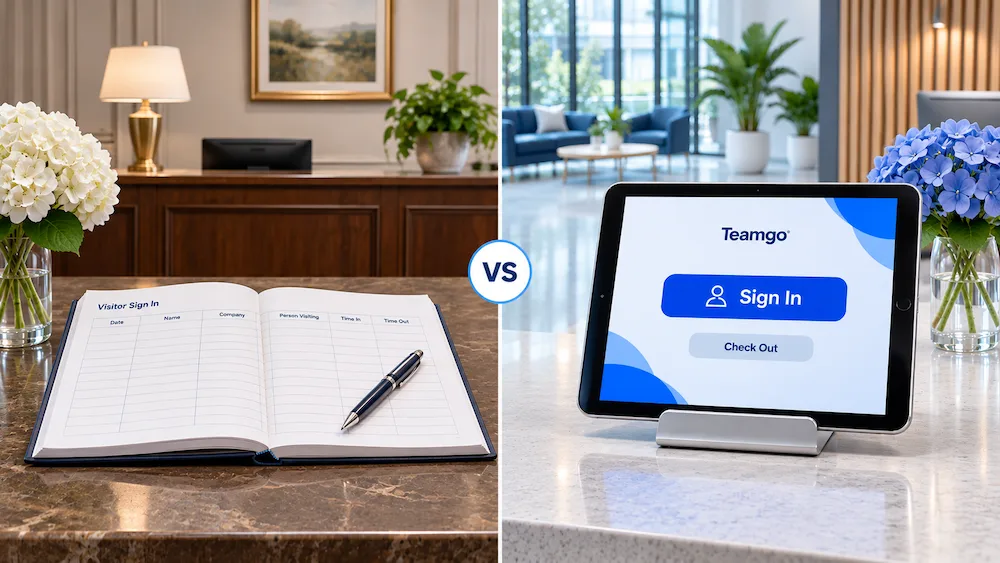
Paper sign-in book or digital visitor management?
A paper book can suit a simple, low-volume reception process. It needs little equipment, but staff must manually contact hosts, search entries and maintain records. An open book can also expose earlier visitors’ details to the next person signing in.
Digital visitor management can make records easier to search, automate arrival notifications and give different visitor types their own check-in steps. It also introduces decisions about devices, connectivity, staff permissions, data storage and ongoing costs. Software works best when it supports a clear process that staff understand.
Why organisations use visitor management
- A more organised welcome. Visitors know where to go and hosts know when to meet them.
- Less repetitive reception work. Pre-registration and notifications can reduce manual calls and repeated data entry.
- Better visibility. Authorised teams can review arrivals, departures and visit history.
- Consistent procedures. Relevant questions, instructions and acknowledgements can be built into each visitor journey.
- Support for safety and security. Records and badges can support existing procedures, alongside trained staff and appropriate physical controls.
These benefits depend on how the system is configured and used. Visitor management software does not, by itself, guarantee workplace safety, prevent unauthorised entry or make an organisation legally compliant.
Where is visitor management used?
- Offices: welcoming customers, interview candidates and meeting guests.
- Manufacturing and worksites: directing contractors, suppliers and technicians through site-specific arrival requirements.
- Schools and childcare: routing visitors to authorised staff and supporting local safeguarding procedures.
- Healthcare and aged care: organising arrivals while applying the site’s privacy and visitor policies.
- Shared and multi-site workplaces: keeping a consistent approach while allowing each location to set relevant requirements.
Visitor check-in should fit the setting. For example, recording a school visitor’s arrival is separate from deciding whether that person is authorised to collect a child.
What features should you look for?
Start with your everyday visitor journeys, then test the features that support them:
- Simple check-in and sign-out, including an assisted option.
- Pre-registration and arrival notifications with a fallback when a host cannot respond.
- Custom workflows for guests, contractors and deliveries.
- Badges and photos where there is a clear need for them.
- Searchable records, reporting and appropriate staff access controls.
- Privacy and retention settings that match your requirements.
- Multi-location administration and integrations, if your organisation needs them.
Ask suppliers which features are included in the proposed plan, what hardware is compatible and what happens during an internet or device outage. Compare the full cost, including setup, devices, printers, messaging and optional products.
A simple way to get started
Map one common visit from invitation to departure. Identify who owns each step, remove unnecessary questions and decide how exceptions will be handled. Then run a small pilot with reception staff, hosts and visitors. Check whether people can complete the process easily and whether your team can find the information it needs.
Teamgo helps organisations build visitor sign-in processes with tools such as pre-registration, custom workflows, host notifications and badge printing. Explore our visitor management workflows and current plans and products to check the setup that fits your workplace.
For a broader overview, read our comprehensive guide to visitor management. Or book a Teamgo demo to see how your own visitor journey could work.